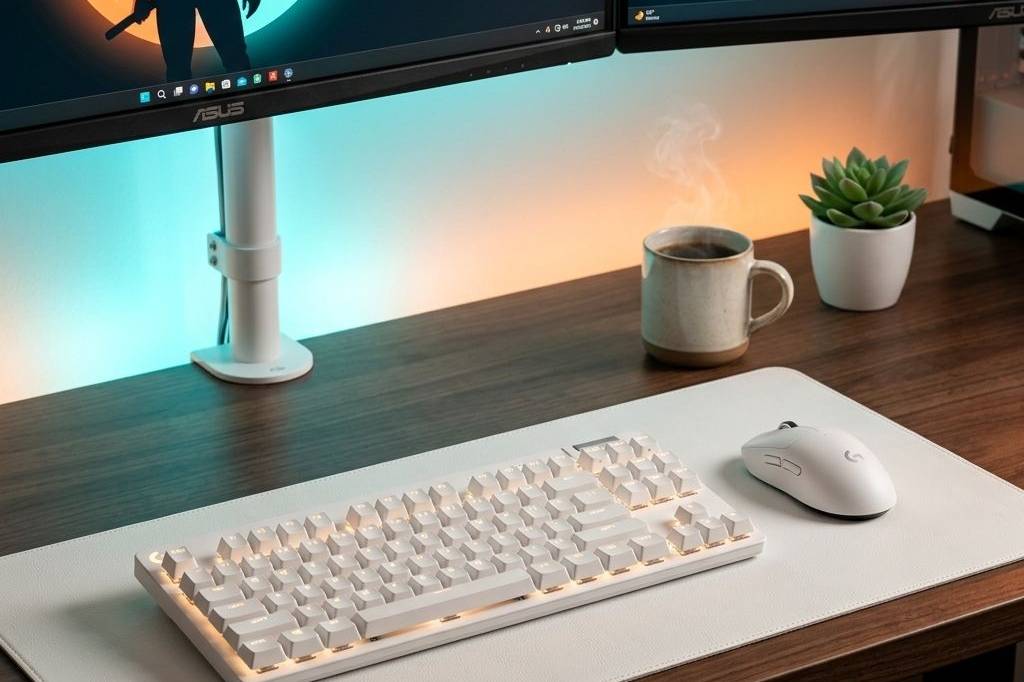
Working from home doesn’t mean you have to settle for a cluttered dining table or a cramped, uncomfortable corner. With the right accessories, you can transform even the smallest space into a highly productive, aesthetic, and ergonomic workstation. Whether you need to streamline your cables, protect your gear, or give your posture a break, these five upgrades will completely change how you work.

Best WFH Hub: Hiearcool 8-in-1 USB-C Hub
If you are working off a modern laptop, you know the struggle of dongle life. The Hiearcool 8-in-1 USB-C Hub is the ultimate solution for a small desk, turning a single USB-C port into a complete workstation powerhouse with 4K HDMI, Gigabit Ethernet, SD card readers, and multiple USB-A ports.
- Pros: Excellent port variety, compact aluminum design, reliable 4K output.
- Cons: Cable is slightly short, which might limit placement options.

Best Desk Space Saver: HUANUO Dual Monitor Stand
Nothing frees up desk real estate faster than getting your monitors off the surface. The HUANUO Dual Monitor Stand is a heavy-duty, fully adjustable gas spring mount that lets you float two screens effortlessly above your workspace, giving you room underneath for your keyboard or notes.
- Pros: Reclaims massive amounts of desk space, highly adjustable gas springs, built-in cable management.
- Cons: Installation can take some time if your desk is thick.

Best for Posture: Everlasting Comfort Memory Foam Seat Cushion
You don’t need a $1,000 ergonomic chair to save your back. The Everlasting Comfort Memory Foam Seat Cushion instantly upgrades any standard office or dining chair, providing crucial tailbone support and promoting better posture during those long zoom calls.
- Pros: Immediate comfort upgrade, non-slip bottom, breathable cover.
- Cons: Adds height to your seat, so you may need to adjust your desk.

Best Laptop Protection: tomtoc 360° Protective Laptop Sleeve
If your WFH setup occasionally moves to the coffee shop or the couch, you need to keep your machine safe. The tomtoc 360° Protective Laptop Sleeve features reinforced corners and plush interior padding to ensure your MacBook or laptop survives accidental bumps and drops.
- Pros: Military-grade drop protection, soft fleece interior, sleek design.
- Cons: Front pocket is a bit tight for bulky chargers.

Best Value Monitor: Amzfast 27 Inch QHD 200Hz Gaming Monitor
A secondary display is essential for WFH productivity, but why not get one that handles after-hours gaming too? The Amzfast 27 Inch QHD 200Hz Monitor offers incredibly crisp 1440p resolution for spreadsheets and a buttery-smooth 200Hz refresh rate when you clock out.
- Pros: Excellent price-to-performance ratio, vibrant colors, high refresh rate.
- Cons: Stand is relatively basic (perfect excuse to pair it with a monitor arm!).
Feature Comparison
| Category Winner | Product | Key Feature |
|---|---|---|
| Best WFH Hub | Hiearcool 8-in-1 Hub | Gigabit Ethernet & 4K HDMI |
| Best Desk Space Saver | HUANUO Dual Monitor Stand | Gas Spring Adjustability |
| Best for Posture | Everlasting Comfort Cushion | Memory Foam Tailbone Support |
| Best Laptop Protection | tomtoc 360° Sleeve | Reinforced CornerArmor |
| Best Value Monitor | Amzfast 27″ QHD Monitor | 1440p Resolution at 200Hz |
Frequently Asked Questions
Do I really need a monitor arm for a small desk?
Absolutely. A monitor arm like the HUANUO Dual Monitor Stand is the most effective way to reclaim desk space, allowing you to slide items like the Hiearcool 8-in-1 USB-C Hub directly underneath your screens.
Is a seat cushion enough to fix bad posture?
While an ergonomic chair is ideal, the Everlasting Comfort Memory Foam Seat Cushion is a highly effective, budget-friendly way to align your spine and relieve pressure points if you are stuck with a standard chair.
Can I use a gaming monitor for WFH?
Yes! Displays like the Amzfast 27 Inch QHD Monitor are perfect for productivity because the 1440p resolution provides excellent text clarity, while the high refresh rate reduces eye strain during scrolling.
? Need more inspiration? Check out our other popular setup: The Ultimate White Gaming Desk Setup: Clean, High-End & Aesthetic