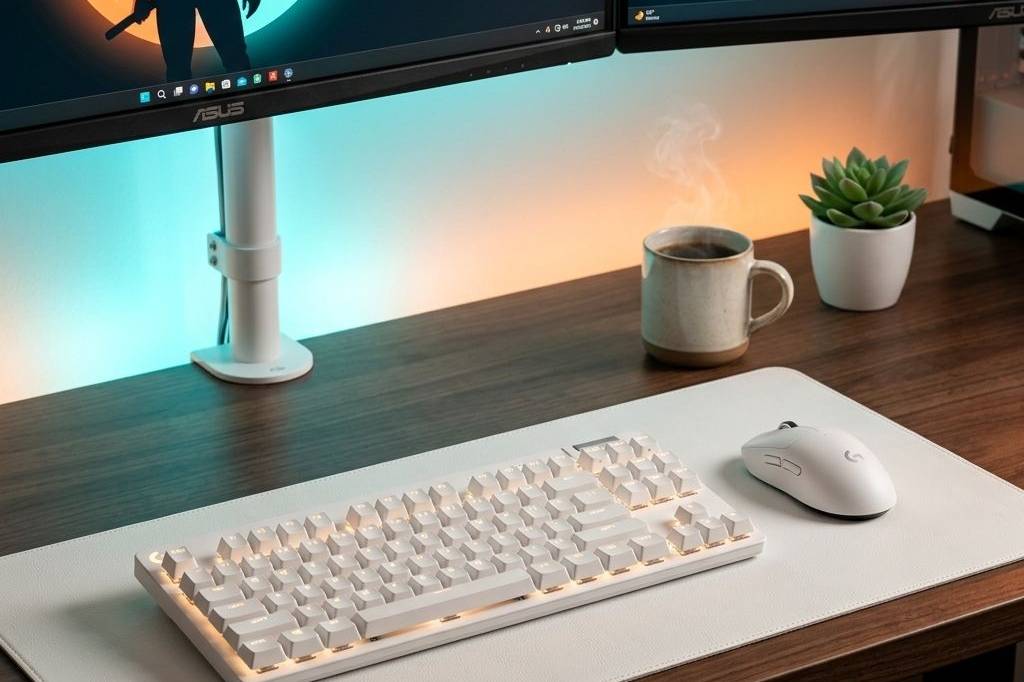
There is a massive difference between a desk you have to sit at and a desk you want to sit at. For anyone working from home, the environment you build directly impacts your daily energy, focus, and creativity. A purely clinical, hyper-efficient corporate setup might look clean, but it rarely feels inspiring. The goal of building the ultimate cozy Mac setup is to blend Apple’s sleek hardware design with warm, organic, and tactile elements that ground the space and make it feel truly lived-in.
Creating a cozy Work From Home setup isn’t about cramming the space with accessories. It is about careful curation—choosing items that serve a distinct functional purpose while contributing to an atmosphere of calm. When you spend eight or more hours a day looking at a screen, reducing eye strain, incorporating natural materials like wood and wool, and enforcing strict cable management are non-negotiable foundations for a healthy workspace.
If you have been looking to warm up your cold, minimalist MacBook station and transform it into a highly productive aesthetic haven, this is exactly how you do it. Below is the full breakdown of five incredible essentials that perfectly bridge the gap between premium tech and cozy, natural warmth.
Why This Setup Works
The success of the cozy Mac aesthetic hinges purely on contrast. Apple hardware is inherently cold—forged from silver and space gray aluminum with stark white or black accents. If you pair a MacBook solely with other metal and plastic accessories, the desk feels like a sterile laboratory. To make it cozy, you must introduce organic textures like wool felt and natural wood grain. These materials immediately soften the room, absorbing sound and introducing a level of tactile comfort you simply cannot get from metal alone.
Lighting plays the second most pivotal role. Standard overhead room lighting creates harsh reflections and casts unappealing shadows across your desk space. By shifting the lighting to be directional and warm—specifically using asymmetric light bars that clip to your monitor—you eliminate screen glare while bathing your immediate work surface in a comfortable, focused glow. The result is an environment that feels equally tailored for deep focus work at 10 AM and late-night creative reading at 10 PM.
The Core Components
Twelve South Curve Stand
Elevating your MacBook is the first crucial step to saving your neck during long WFH days. The Twelve South Curve Stand holds the laptop perfectly at eye level while allowing maximum airflow around the chassis. Its sweeping, ribbon-like continuous arc design is striking, ensuring your desk looks beautifully minimal even when the laptop is removed. More importantly, it reclaims vital desk real estate underneath, creating a dedicated spot to tuck away notes or small peripherals.
Oakywood Felt Desk Mat
Nothing softens a cold desk completely like the Oakywood Felt Desk Mat. Made from premium Merino wool, it dramatically increases the comfort for your wrists while naturally dampening the harsh acoustic sounds of typing and clicking. The gray textured felt contrasts beautifully against silver Apple hardware, providing a grounded, organic anchor point for your keyboard and mouse. It is the single most effective accessory for instantly turning a stark setup into a warm, inviting oasis.
Apple Magic Keyboard
When pairing peripherals with a Mac-centric setup, sticking perfectly natively with the Apple Magic Keyboard maintains the minimalist visual language. With its incredibly low profile and dependable scissor mechanism, it types silently without introducing visual bulk to the desk surface. The Space Gray variation, in particular, adds premium contrast against a light wool desk mat, rounding out a sleek, fully wireless profile that keeps the workspace completely devoid of visible clutter.
Logitech MX Master 3S for Mac
There is arguably no better productivity tool available than the Logitech MX Master 3S for Mac. Flawlessly configured entirely via Bluetooth to match macOS gestures natively, the Pale Grey version blends seamlessly into a cozy, light-toned setup. Its sculpted ergonomic design provides a substantial, comfortable resting place for your hand during marathon work sessions, while the near-silent switches guarantee you are never disturbing the serene ambiance of your environment.
BenQ ScreenBar Monitor Light
Lighting makes the room, and the BenQ ScreenBar Monitor Light is the undisputed king of functional, aesthetic illumination. Hanging securely onto the top frame of your monitor, it utilizes an asymmetrical optical design to completely eliminate screen glare. It shines a beautiful, adjustable warm glow solely downward directly onto your desk mat, typing surface, and whatever you happen to be reading, enveloping the primary workspace in rich ambiance without requiring heavy overhead room lights or taking up any desk footprint at all.
How to Build the Look
Begin by securing your desk mat centrally where your hands naturally rest, effectively carving out your “zone of focus.” Angle the Twelve South Curve stand slightly off-center to comfortably access the screen without completely obscuring your view of the room. Attach the BenQ Screenbar and tune the color temperature significantly towards the warmer spectrum (closer to 3000K) to instantly inject the area with a relaxed vibe. To maintain the illusion of a pristine setup, commit strictly to wireless peripherals like the Magic Keyboard and MX Master 3S, hiding any necessary charging cables completely out of sight. Finally, keep just one or two personal items—a high-quality coffee mug and a small potted plant—in the periphery to finalize the lived-in, cozy feel.
Final Thoughts
Working from home doesn’t require living in an uninspiring, sterile cubicle. By carefully blending the crisp, powerful precision of a Mac station with natural textiles like a wool mat, and injecting mood-setting ambient light via the BenQ bar, your desk rapidly turns into a haven. You stop feeling like you are trapped at your desk, and instead feel like you have a designated, protective space to do your absolute best work. Make the small investments to soften the space—you owe it to yourself.
Get the Look
- Twelve South Curve MacBook Stand
- Oakywood Wool Felt Desk Mat
- Apple Magic Keyboard
- Logitech MX Master 3S for Mac
- BenQ ScreenBar Monitor Light
Visuals & Setup Highlights


? Need more inspiration? Check out our other popular setup: 5 Cozy Couple Gaming Setup Ideas To Share Your Space